

Popular
Canect automatically detects your current location and lists nearby dispensaries. You can refine results by adjusting the search radius, filtering by name, or changing the location entirely. Follow these instructions to make the most of the Dispensaries page.
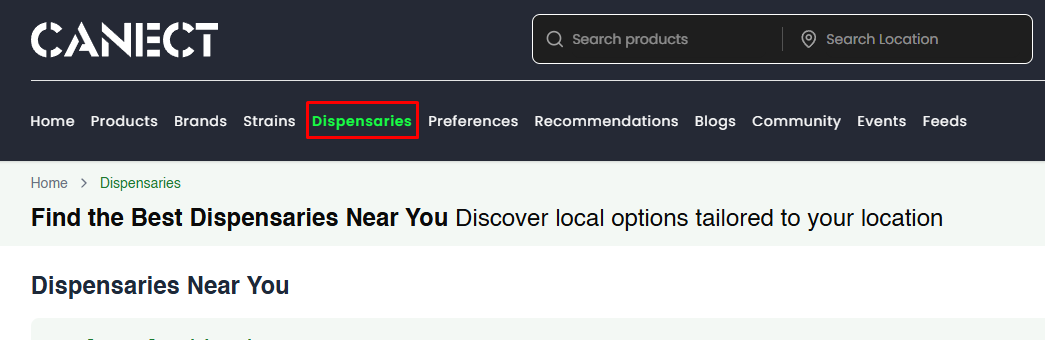
A) Open the Dispensaries tab
At the top of the site, click Dispensaries to view nearby dispensaries. This page will show your current search location and the list of results.
B) Search within your current location
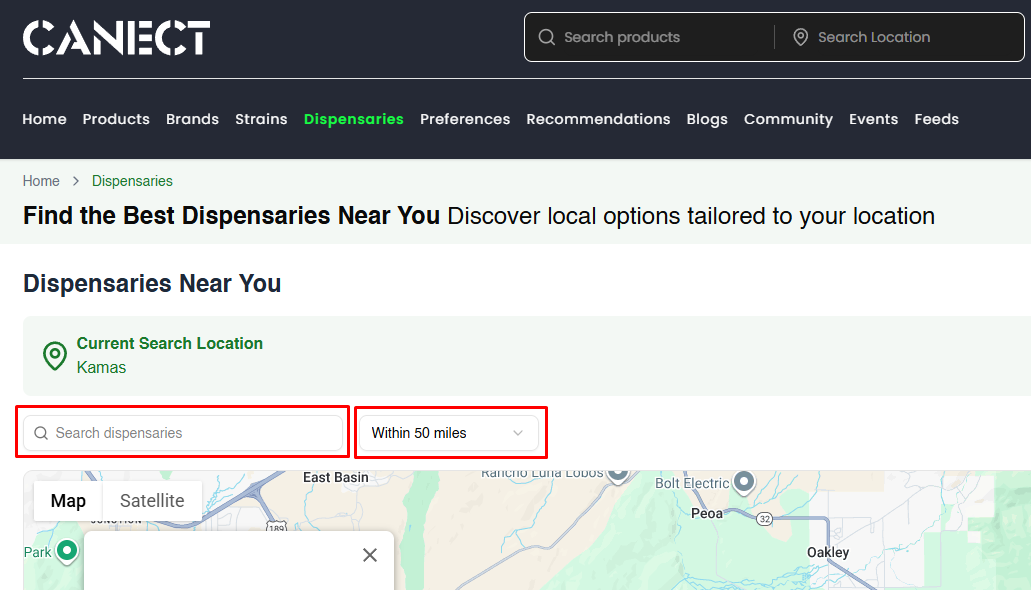
By default, Canect uses your current location.
-
Search by name: Use the Search dispensaries box to find a specific shop.
-
Adjust the radius: Use the Within X miles dropdown to change how far to search (e.g., 10, 25 or 50 miles).
C) Customize your view
-
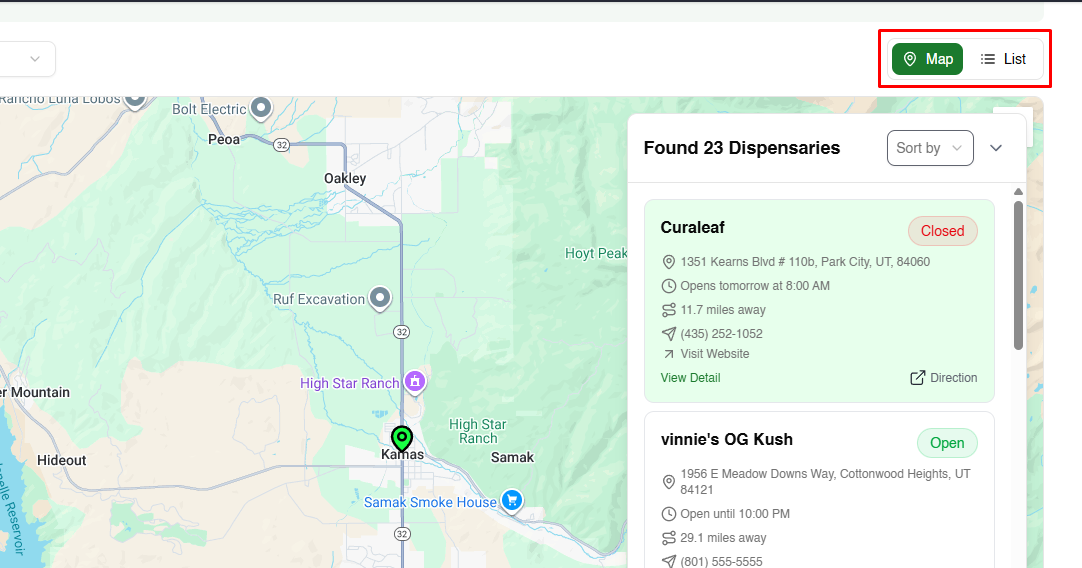
Map/List toggle: Switch between Map and List view using the toggle at the top right.
-
Sort results: Use the Sort by menu to order results by distance or other criteria.
D) Search a different location
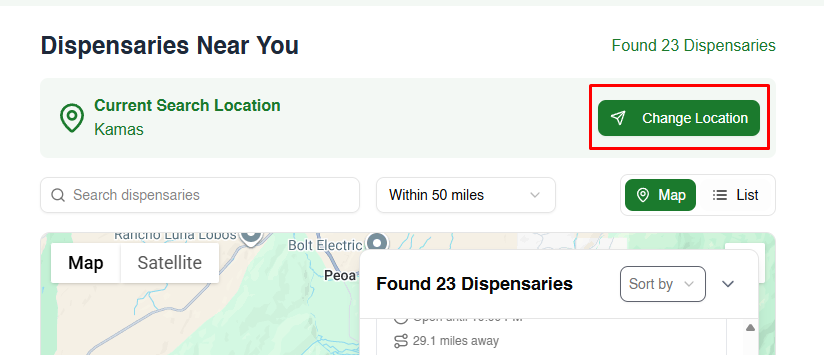
If you want to search a different city, ZIP code or address:
1. Click Change Location next to Current Search Location.
2. In the Search in a Specific Location window, type an address, city, or ZIP/postal code. You can also choose Use My Location to refresh your current position.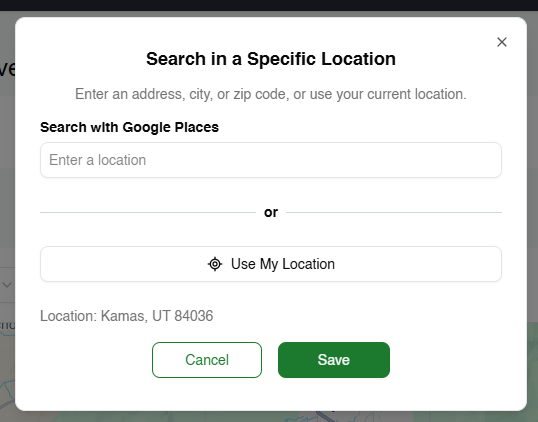
3. Click Save. The page will update to show dispensaries near that location. You can still adjust the radius or search by name.
E) View details and follow a dispensary
-
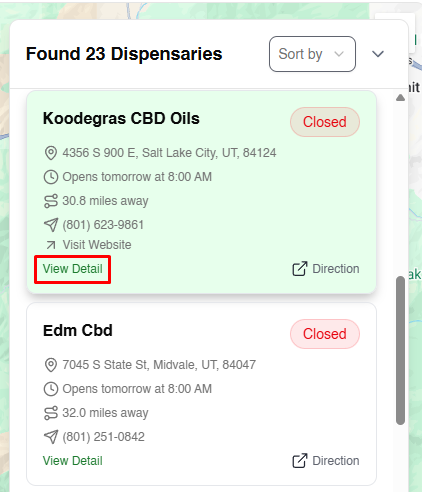
In the results list, click View Detail on a dispensary card to open its profile page.
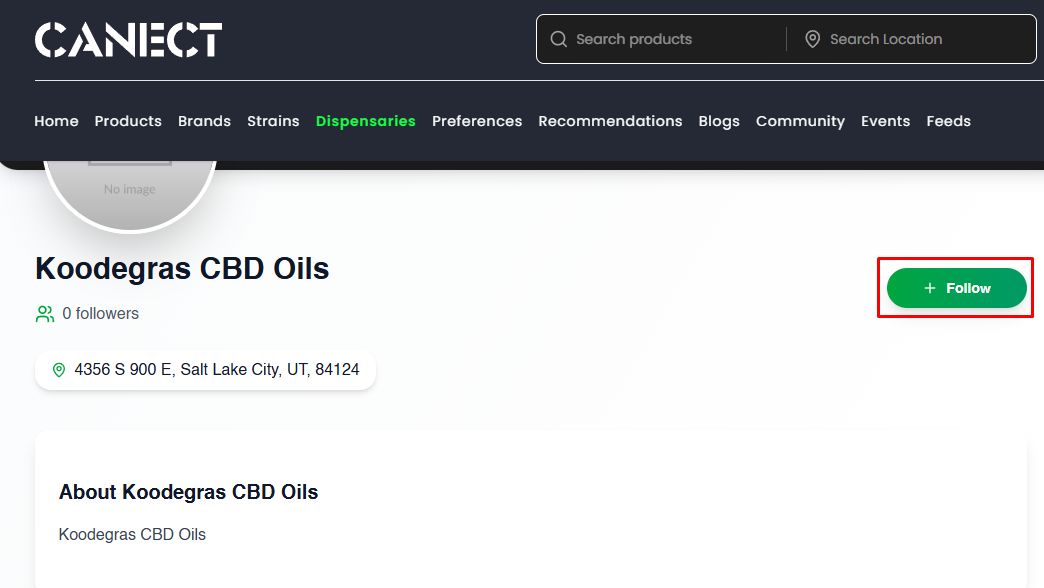
2. On the dispensary’s profile, click + Follow to follow it.
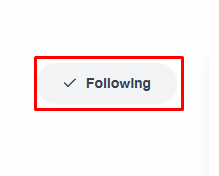
3. The button will change to Following once selected. Click it again to unfollow.
What to do if no dispensaries are found
If you see “Found 0 Dispensaries,” try these tips:
-
Expand the radius: Increase the search distance (e.g., from 10 to 25 or 50 miles).
-
Search a nearby location: Use Change Location and select a nearby city or ZIP code.
-
Enable location services: Ensure your browser or phone’s location services are turned on, then reload the page.
With these steps, you can quickly find dispensaries near you, change search locations, and follow your favorite shops to stay updated.