

Popular
Report a Post on Canect
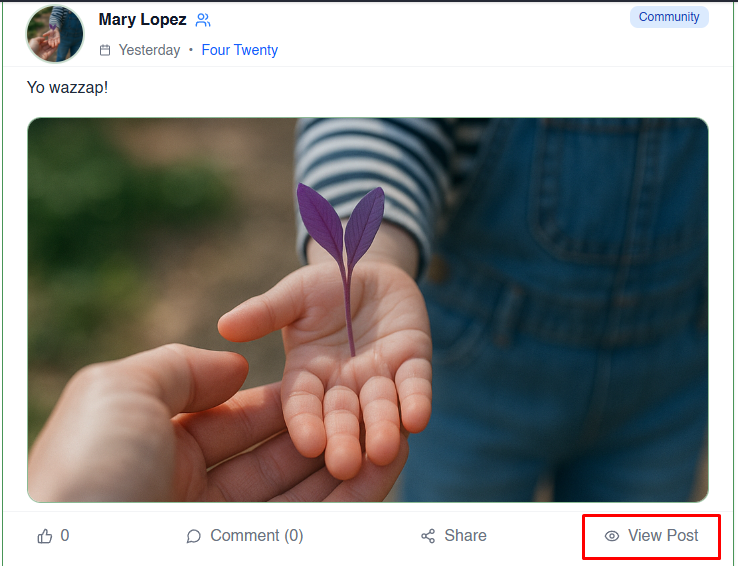
1. Open the post
From your feed, locate the post you want to report and click View Post to open it in full.
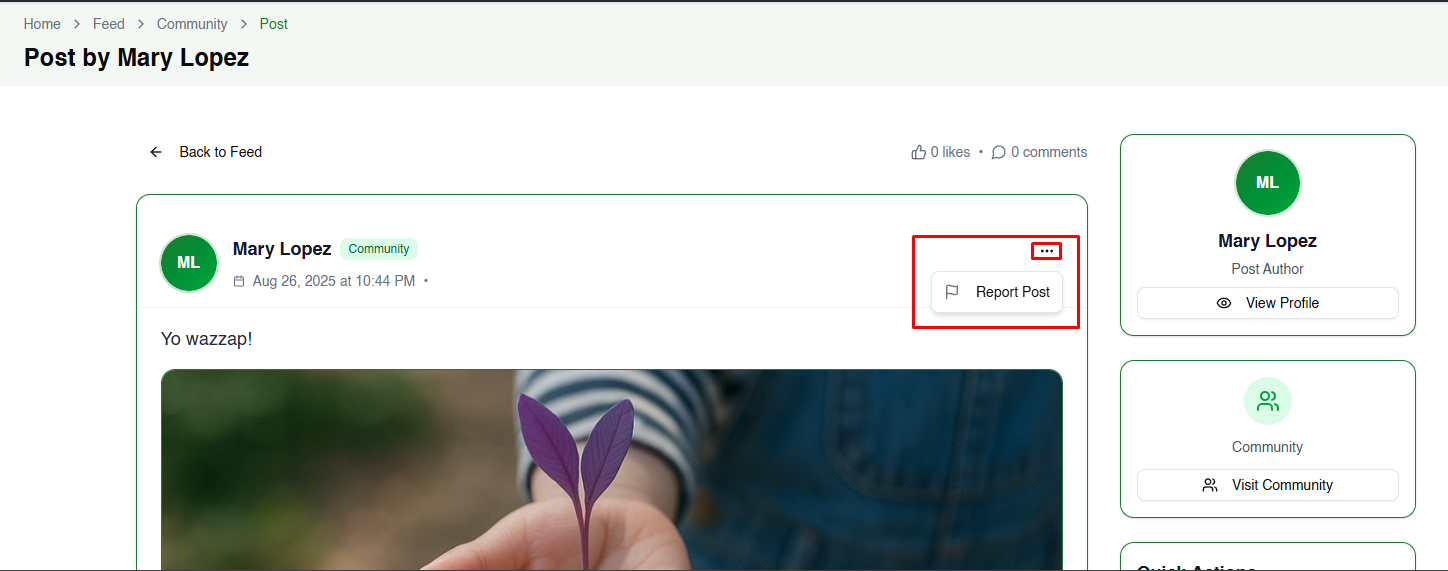
2. Choose “Report Post”
On the post page, look for the three‑dot menu (⋯). Click it and select Report Post from the dropdown.
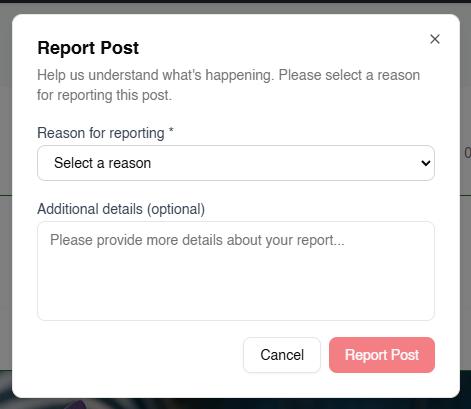
3. Select a reason and provide details
A Report Post dialog will appear:
- Use the Reason for reporting dropdown to choose the most appropriate reason (e.g., Spam, Inappropriate Content, Harassment, etc.).
- Optionally, use the Additional details field to describe what happened.
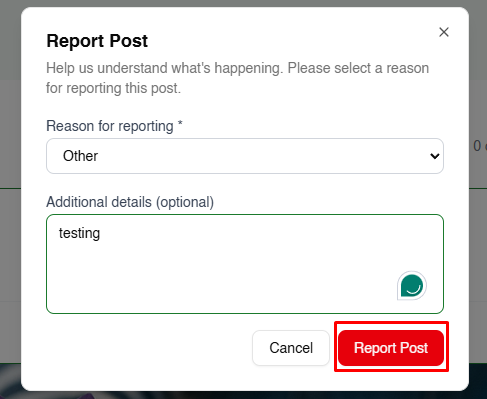
4. Submit your report
Once you’ve selected a reason and added any relevant details, click the red Report Post button to send your report to the moderation team.
Tips for responsible reporting
- Be specific: Describe what’s wrong with the post and why it violates guidelines.
- Stay factual: Stick to the facts and avoid personal opinions.
- Report responsibly: Only report posts that genuinely violate the rules; misuse of reporting slows down the review process.
- Follow up if needed: If you continue to see violations, submit another report or contact Canect support.
By reporting inappropriate content, you help keep the Canect community safe and welcoming for everyone.