

Popular
Editing Your Profile on Canect
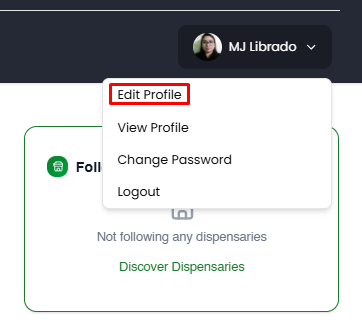
1. Open the Edit Profile page
Click your avatar (profile picture) at the top right of the screen. From the dropdown menu, select
Edit Profile.
2. Update your profile information
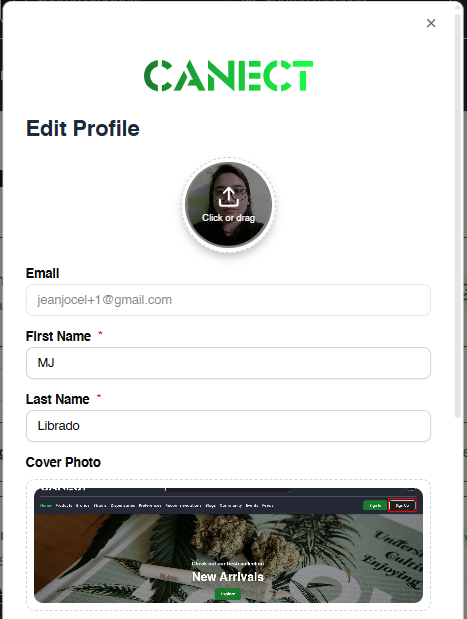
An Edit Profile popup will appear where you can adjust various details:
- Profile photo: Click or drag an image to upload a new profile picture.
- Email: This field is typically read‑only and can’t be changed here.
- First Name / Last Name: Update these fields as needed.
- Cover Photo: Upload a cover image that will appear on your profile page.
3. Edit bio, location and date of birth
Scroll down to fill out additional details:
- Bio: Share a brief description about yourself.
- Location: Type your location or click Use Current Location to
auto‑fill. - Date of Birth: Select your month, day and year from the dropdown menus. You can
also decide whether to make your birth date public by checking or unchecking the box.

4. Save your changes
After editing your details, click Save to update your profile. If you change your
mind, click Cancel to discard any changes.
By keeping your profile up‑to‑date, other users can get to know you better and the platform can
provide more personalized recommendations and experiences.