

Popular
How to change your password in Canect
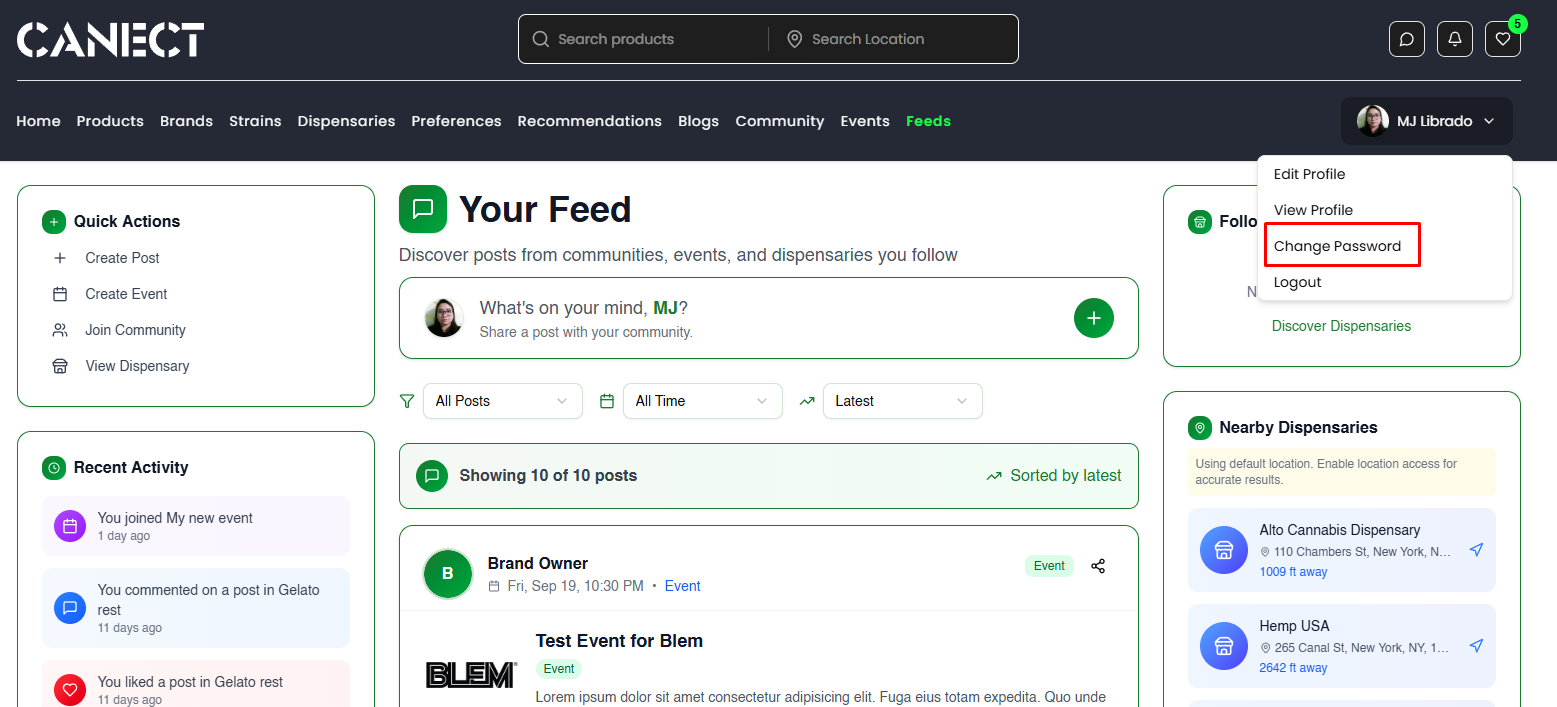
1. Open the Change Password window
Click your profile avatar in the top-right corner and choose Change Password.
2. Enter your current and new password
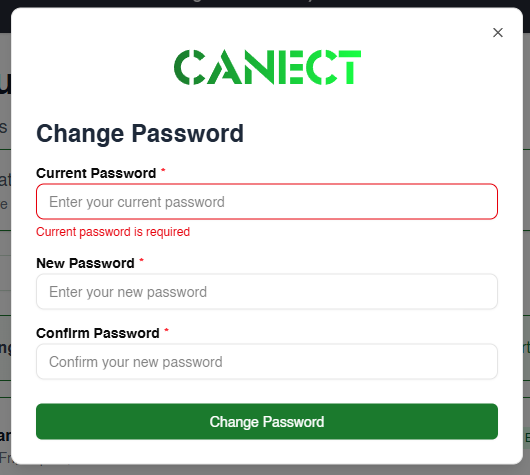
In the window:
- Enter your Current Password.
- Enter and confirm your New Password.
- Click Change Password.
3. See the success message
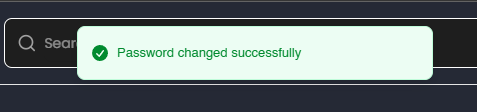
A green banner appears: “Password changed successfully.”
4. Check your email
You’ll receive an email confirming your password change. If you didn’t request it, reset your password immediately and contact support.