

Popular
Creating an Account on Canect (21+)
1. Open the website and click Sign Up
On the top right corner of the Canect homepage, click the Sign Up button to begin the registration process.

2. Fill out the registration form
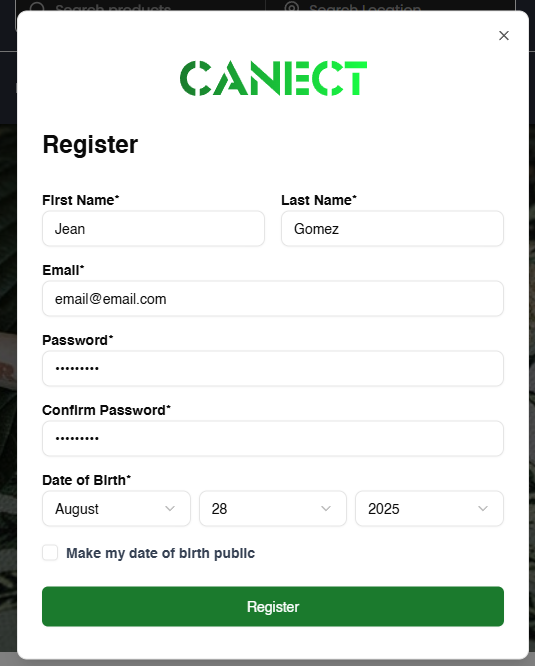
A registration popup will appear. Complete all required fields:
- First Name and Last Name
- Email – enter a valid email address
- Password and Confirm Password – choose a secure password
- Date of Birth – select your birth date (you must be 21 years old or above)
Optionally, you can uncheck the box that makes your date of birth public. Once everything is filled
in, click Register.
3. Verify your email address
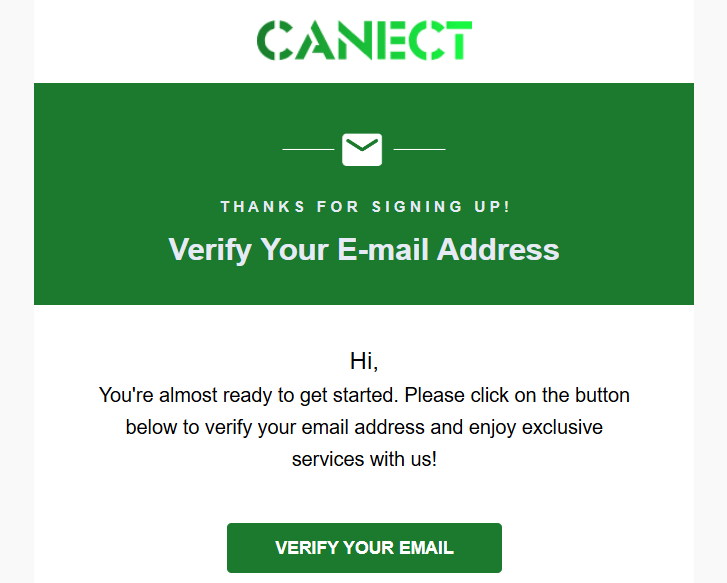
Check your inbox for a verification email from Canect. Open the email and click Verify Your Email to confirm your address. This step is required before you can sign in.
4. Sign in
After verifying your email, return to the Canect site and click Sign In. Enter your email and password to access your new account.
Important notes
- Age requirement: You must be at least 21 years old to create an account on Canect.
- Email verification: You cannot log in until you verify your email address.
By following these steps, you’ll successfully create and activate your Canect account and can start exploring products, communities and events.