

Popular
Discuss an Event on Canect
1. Open the event page
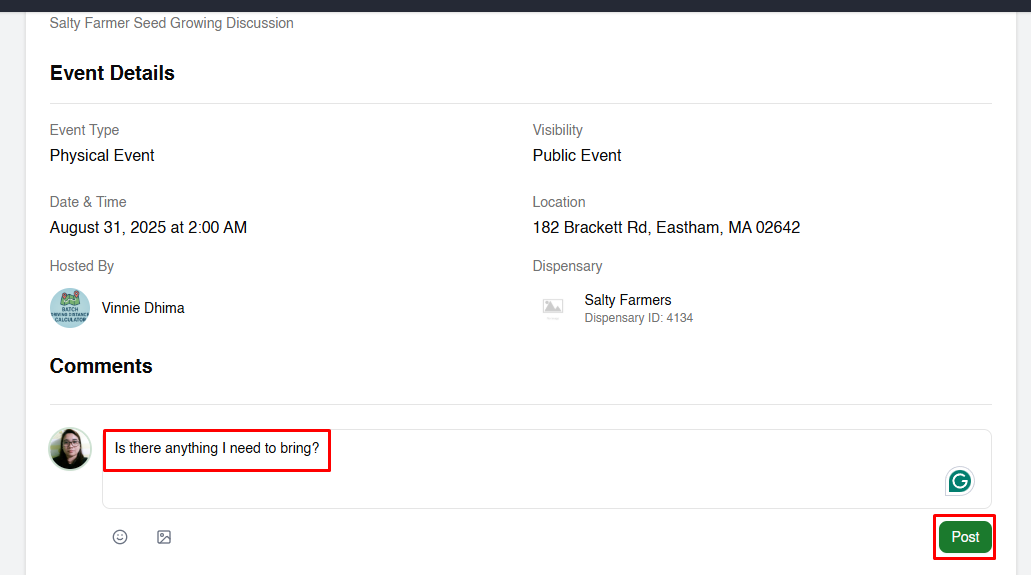
Navigate to the event you’d like to discuss. The Event Details section provides
basic information such as date, time, location and the host.
2. Scroll to the Comments section
Below the event details, you’ll find a Comments section where you can read and add
comments.
3. Post a new comment
To start a discussion or ask a question:
- Click into the comment box.
- Type your message.
- Click the green Post button to submit.
Your comment will appear in the list beneath the text box.
4. Reply to an existing comment
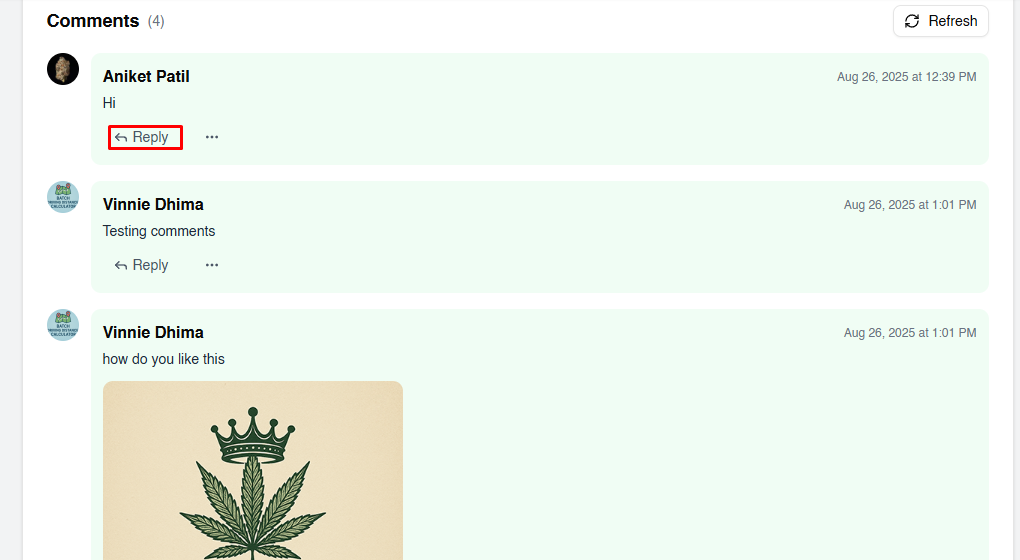
To respond to someone else’s comment:
- Find the comment you want to reply to.
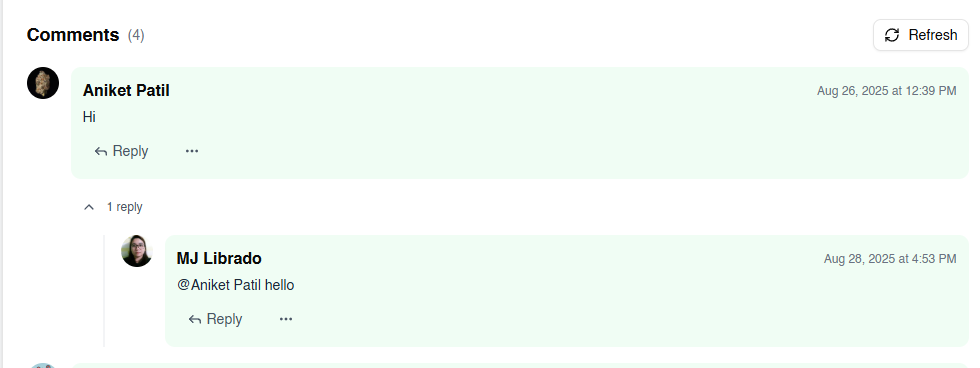
- Click the Reply link below the comment.
- Type your reply in the text box that appears.
- Submit your reply.
Tips for productive discussions
- Stay on topic: Make sure your comments are relevant to the event.
- Be respectful: Follow community guidelines and avoid offensive language.
- Ask clear questions: If you’re unsure about something, be concise to get helpful
responses. - Check your notifications: You may receive updates when others reply to your
comment.
By participating thoughtfully in event discussions, you can get the information you need and help
build a welcoming community on Canect.