

Popular
Writing a Product Review on Canect
1. Open the product page and scroll to the bottom
Start by navigating to the product you wish to review. Once on the product page, scroll down to the Customer Reviews section. You’ll see the overall rating, rating distribution and a Write Review button.
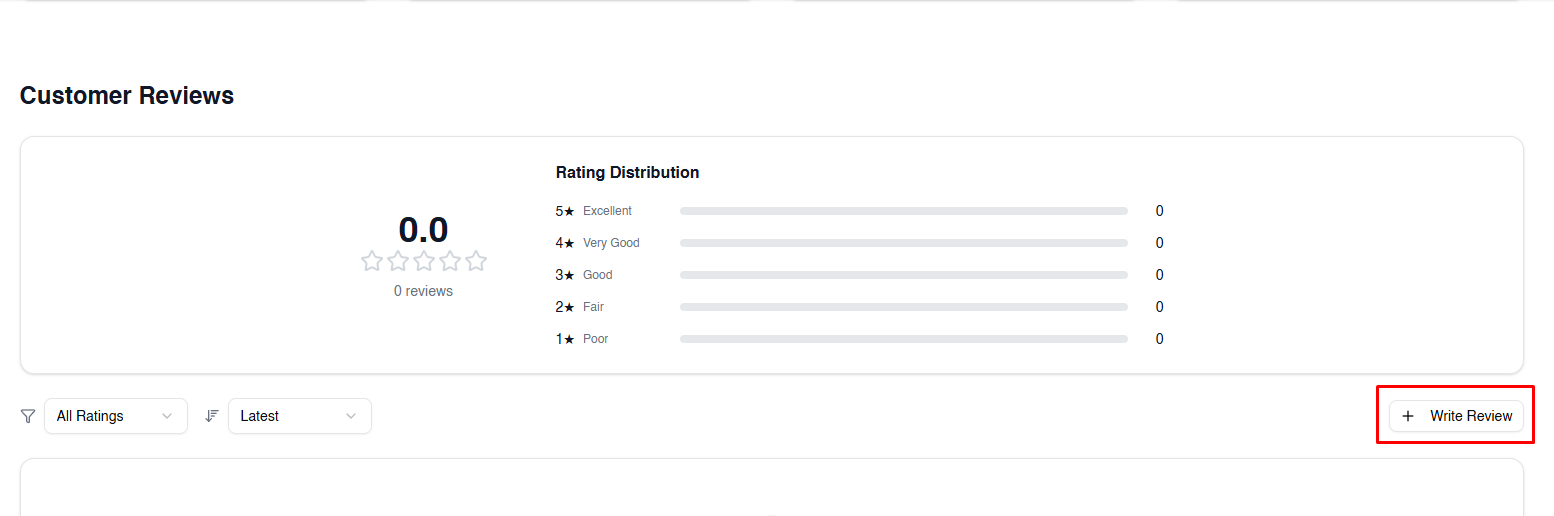
2. Click Write Review
Select the Write Review button to open the review form. A popup window will appear where you can provide your feedback.
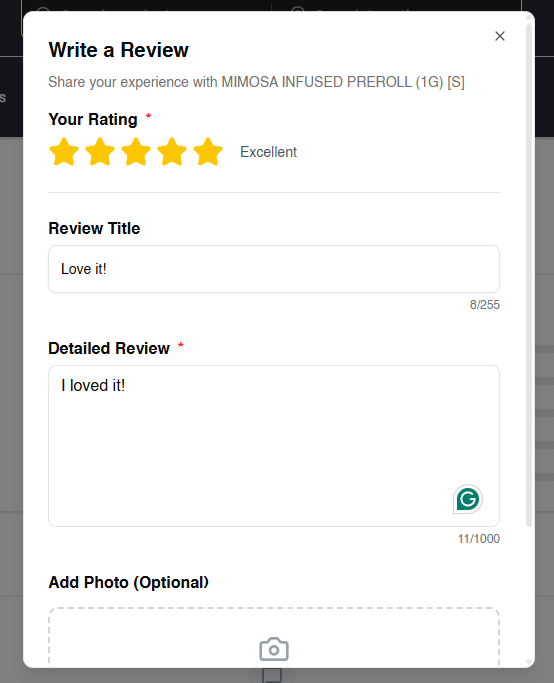
3. Give a star rating, title and detailed review
In the popup review form:
- Your Rating: Click on the stars to rate the product (1–5).
- Review Title: Summarize your experience in a few words.
- Detailed Review: Share your thoughts in more detail. Explain what you liked or
didn’t like about the product.
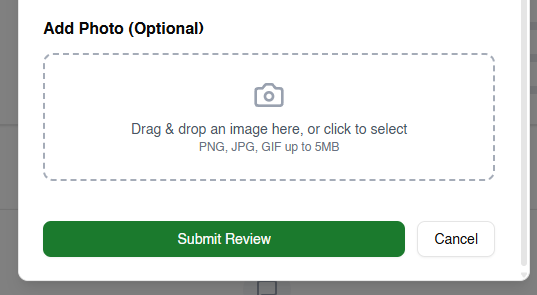
4. (Optional) Add a photo
You can upload an image to support your review. Drag and drop a file into the photo box or click to select a file from your device (PNG, JPG or GIF, up to 5 MB).
5. Submit your review
When you’re satisfied with your rating and comments (and optional photo), click Submit Review. Your feedback will be sent for moderation and then published on the product page.
Tips for helpful reviews
- Be honest and specific: Share what worked and what didn’t to help others make informed choices.
- Use appropriate language: Avoid profanity or personal attacks; stick to product performance.
- Include context: Mention how you used the product (e.g., dosage or setting) if it could affect your experience.
- Sign in: Make sure you’re signed in to post a review and edit or delete it later.
By following these steps, you can contribute meaningful feedback that helps other users find the right cannabis products for them.