

Popular
How to Attend an Event on Canect
1. Open the Events page
From the top navigation bar, click Events to see a list of upcoming cannabis‑related events.

2. (Optional) Change your search location
If you want to look for events in a different city or region:
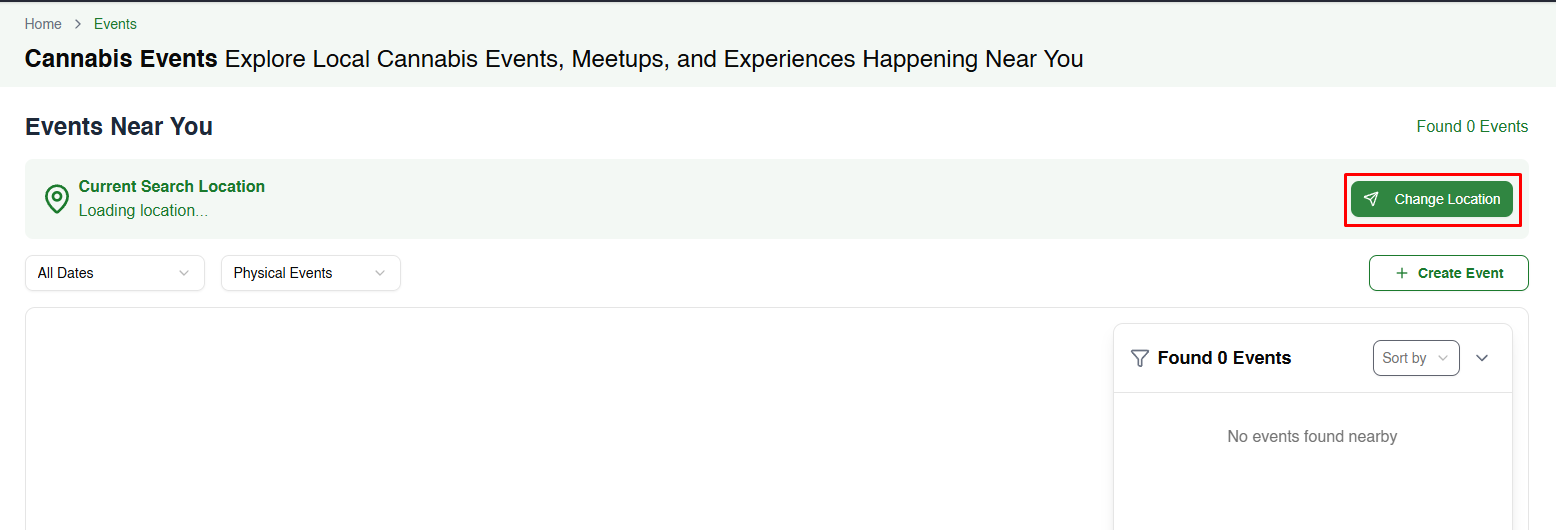
- On the Events page, click Change Location beside the current location area.
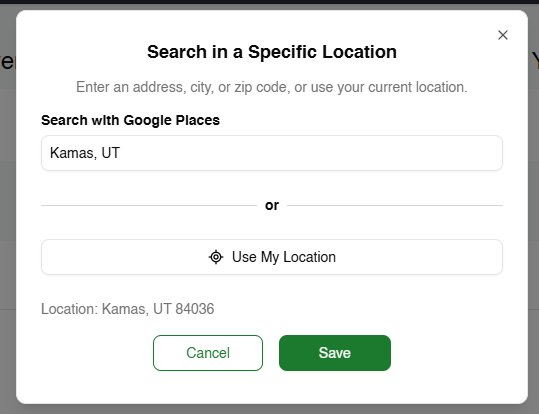
- Enter a city, ZIP/postal code or address in the Search in a Specific Location box, or select Use My Location to refresh your current position.
- Click Save to apply. The event list will update based on the new location.
3. Find and open an event
Scroll through the event list to find one you’re interested in. Each event card displays key details such as the date, time, location, host and number of attendees. Click View Details to open the event page.

4. Join the event
On the event page:
- Click the green Join Event button at the top right.
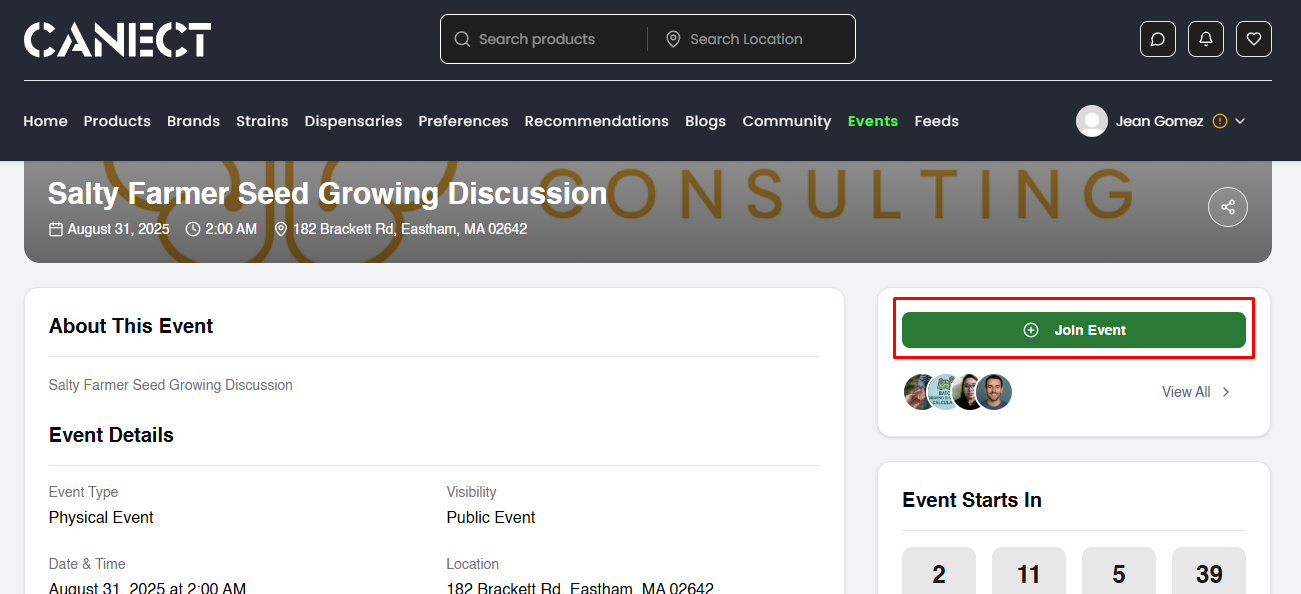
- Public events: You’ll be added right away.
- Private events: Depending on the host’s settings, you may need to request access or ask the organizer for an invite.
The button will change to indicate you’re attending (for example, Joined or Going). You can click it again to leave the event if your plans change.
5. Attend the event
- For physical events: Follow the address listed under the Event Details. Use the Direction or map link if provided.
- For virtual events: After joining, look for a meeting or live stream link (usually visible on the event page) and click it at the scheduled time.
Tips
- You must be signed in to see and use the Join Event button.
- Double‑check the event’s date, time and timezone under Event Details so you don’t miss it.
- For in‑person events, bring any required ID or tickets as specified by the host.
By following these steps, you can easily find, join and attend events on Canect, whether they’re online meetups or in‑person gatherings.